Picture Import
-
Step 1: Picture Selection of the picture import
- You can specify the size of the picture and thereby the size of the resulting pattern or pattern element.
- more
-
Step 2: Color Selection of the picture import
- You can clicking the original color in the picture and you will get it displayed in the column (framed in red).
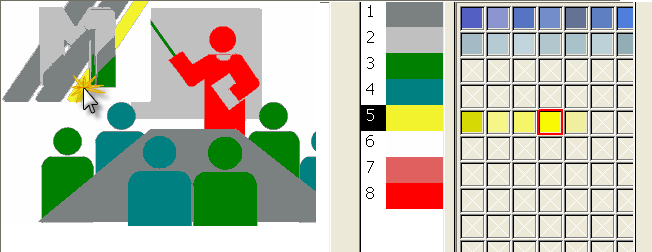
- more
-
Step 3: Jacquard of the picture import
- You can select any desired areas combined by Ctrl

A transition module will be used for the transition to the Jacquard area.- more
-
Step 3: Structure/Intarsia of the picture import
-
function in the menu
You can edit pictures before importing them into the M1plus with the  ImageStone tool:
 - Adjusting the picture size to the pattern size
- Adjusting the resolution
- Adjusting the file format
- more
-