New in V 2.1
Shape Elements
- Types of shape elements:


- For example:
Seitliche Tailen-Spickel
-
 Menu contestuale / Vista taglio singolo
 -
 Mplus V 6.6
 - GKS Dimensioned Shapes with shape elements require release ≥ Mplus V 6.6!
 La strada per il tessuto
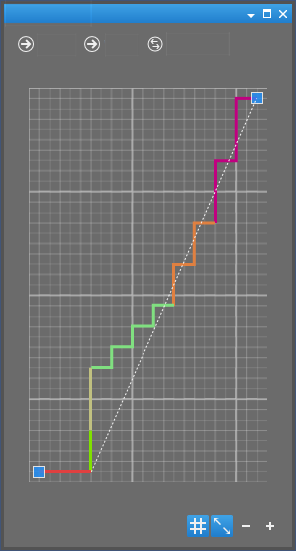
Variants of Curves for Preset Steppings
- You select one of 20 variants in the Proposed Steppings dialog box
- For the kind of stepping
How to Change the Stepping of a Line / Scalatura preassegnata
New Drawing Tool
-
 Combines two fabric pieces at the left and right of the shape points which you click subsequently to a new fabric piece.
Menüband Start -
Strumenti di disegno
-
Puts the left and right polyline of two fabric pieces to one new fabric piece together. - In the Menu contestuale / Vista taglio singolo
- Dialog box to select the fabric pieces: Combine Fabric Pieces (dialog box)
Behavior at the End of Area for Knitting Ranges
Zone di lavoro tool window with column for the behavior at the end of the knitting range.
Size Management by the Size Bar
- Fabric Pieces and Sizes tool window eliminated
- Size management by the Controls of the View
Visualization of Symmetry
- Symmetrical points related to the center axis

- Symmetrical points related to a mirror point
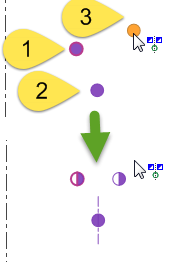 Strumenti di disegno
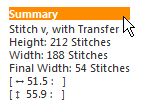
Knitting Specification / Stepping Specifications in the Dimensioning View
- Table-like information on individual areas of the fabric piece
- Summary
- Steppings
- Markings
- Text blocks can be moved on the edit field.
-
Opzioni della vista di dimensionamento
-
Come leggere le indicazioni di scalatura
Properties of Line-bound Marking Points
- Anchor points for knitting technique
- Start module for the V-neck.
- Cutting points for filled neckline
-
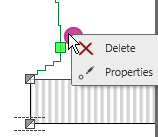
Proprietà punto di marcatura / Markierungspunkt-Eigenschaften
Rename the Fabric Piece
function in the context menu of the title bar
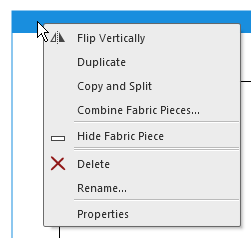
Copia il telo e inserisce la copia.
È possibile la selezione multipla.
Esempio: Telo posteriore (copia)- Specchia il telo lungo l'asse mediano verticale.
È possibile la selezione multipla. I teli simmetrici non si differenziano nel risultato.
Visualizza il telo solo ridotto a icona.
Il telo viene nuovamente visualizzato con un clic sul simbolo della finestra o nella finestra degli strumenti Teli e taglie. Teli e taglie
Elimina il telo dopo richiesta di conferma.
È possibile la selezione multipla.
La richiesta di conferma appare nella selezione multipla per ogni singolo telo.
Remove Start of Knitting from Fabric Piece
function in the context menu of the start
- Removes all settings concerning the start
- Knitting elements and other options
- Stitch Density
- Knitting Elements for Doubling
- Shape points and dimensions will be kept
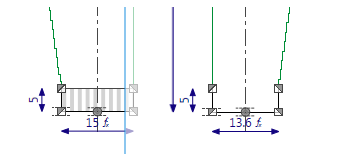
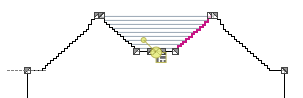
Line View instead of Line Preview
You activate the Line View via the  button of the Properties ribbon group or in the Line Properties tool window.
Calculate Yarn Consumption
- You can define the yarns for the current shape file in the Yarn Definition (tool window) tool window.
- You allocate defined yarns to the pattern colors in the Allocating Yarns (tool window) tool window.
How to Determine the Expected Yarn Need
Printing without Content-Layout
- You can define the layout of hard copies without the Content Layout tool window now.
- You can modify the layout in the Print Preview.

Come stampare il taglio di dimensionamento
Con dettagli